Card
A boxed piece of text, for something that should stand apart from the paragraphs around it: a summary, an address, one option among several. The card draws a border and a background. Everything inside is ordinary writing, so it takes headings, bold, lists, links and pictures like the rest of the page.
Dolor sit amet
Consectetur adipiscing elit, sed do eiusmod tempor incididunt ut labore.
- Ut enim ad minim veniam
- Quis nostrud exercitation
Adding one
Type / at the start of an empty line and pick Card, or use Add block between two things on the page (Adding a block). Then click inside it and write.
Changing it
A card has no form. Click its words and they open inside the box, the way a paragraph does, with Cancel and Save underneath. / works in there too, so a card can hold a callout or a picture. Emptying the card and saving takes it off the page.
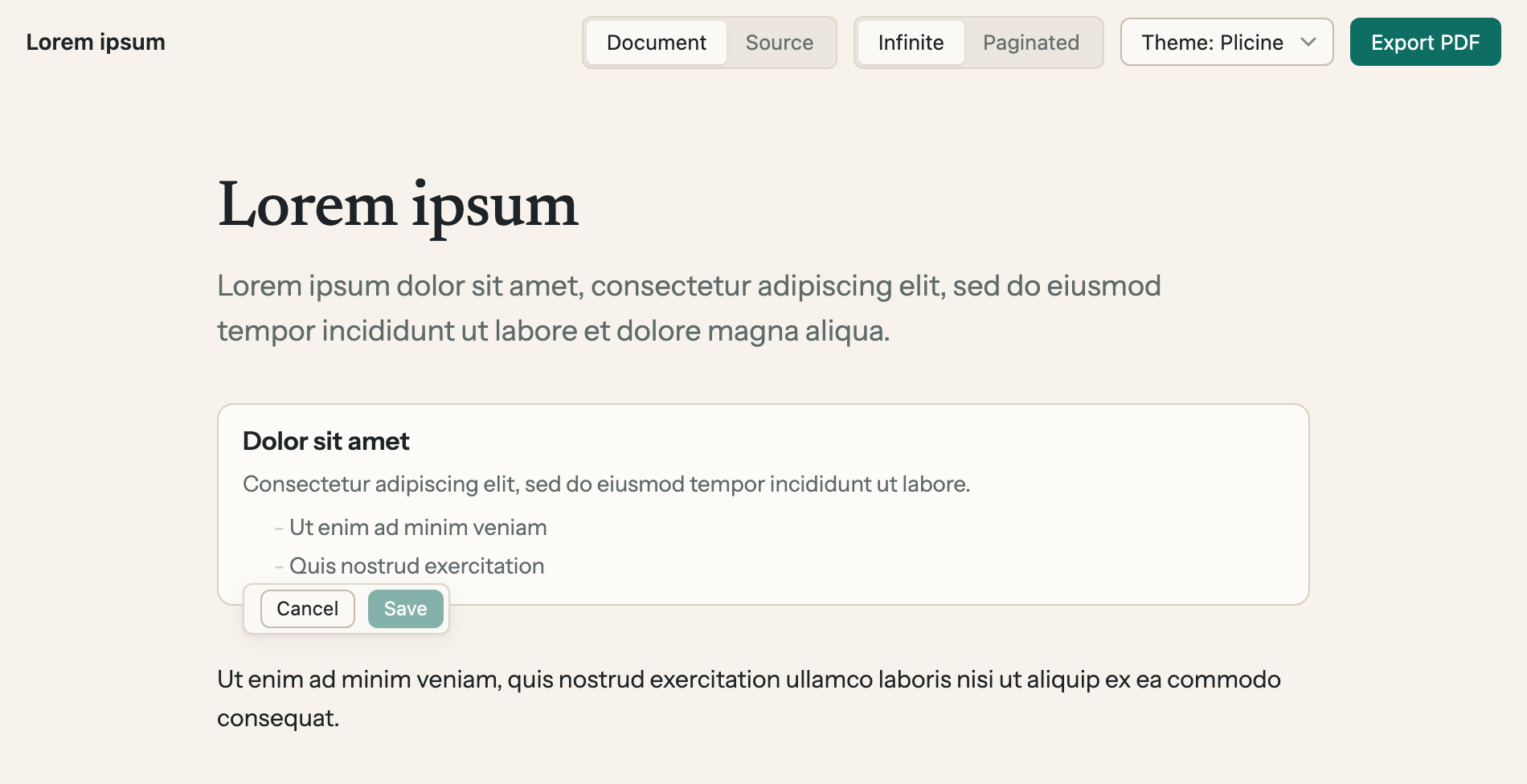
A card open for editing. The faint dashes are the list's symbols, which show while you edit and go when you save.
Its width is on the toolbar that shows when you point at it: Narrow, Normal, Wide or Full.
Cards side by side
A row of cards is a Columns block with a card in each item. Cards in the same row come out the same height, however much each one holds.
Lorem
Ipsum dolor sit amet, consectetur adipiscing elit.
Dolor
Sed do eiusmod tempor incididunt ut labore et dolore magna aliqua. Ut enim ad minim veniam.
In a PDF
A card prints as it looks on screen, and is kept in one piece: if it doesn't fit at the foot of a page, the whole card moves to the next one.
For technical readers: Core blocks has the block as it's written in the file.