Callout
A tinted box with an icon and a title, for the sentence a reader mustn't miss: a note, a tip, a warning. The type you pick sets the colour and the icon.
Lorem ipsum
Dolor sit amet, consectetur adipiscing elit, sed do eiusmod tempor.
Check the dates
Ut enim ad minim veniam, quis nostrud exercitation:
- Ullamco laboris
- Nisi ut aliquip
Adding one
Type / at the start of an empty line and pick Callout, or use Add block between two things on the page (Adding a block). It goes in as an empty note with its form open.
Its options
Point at a callout and click Edit on its toolbar to open the form.
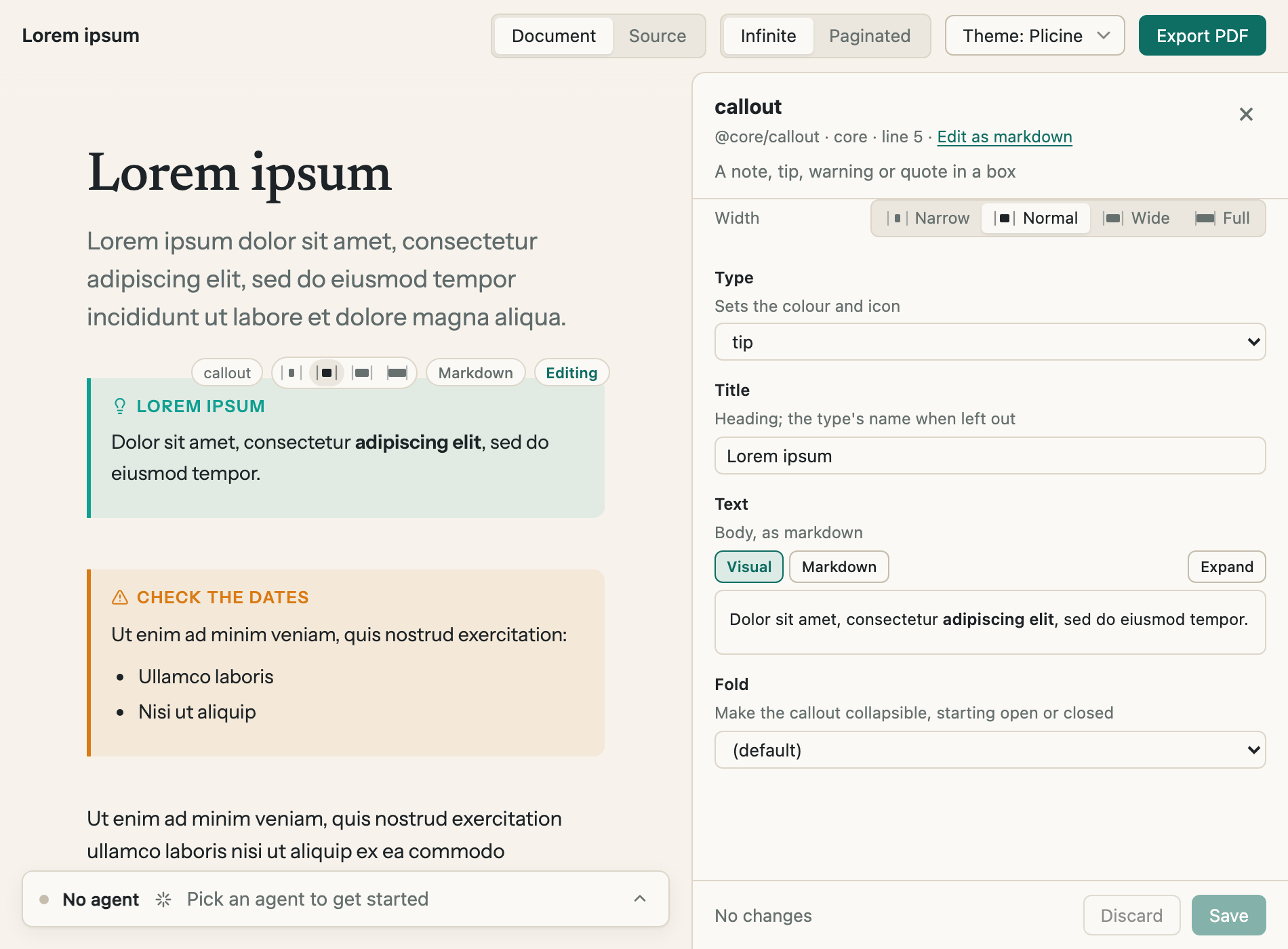
The form for the tip. Text is a small page of its own, so it takes bold, lists and links like the rest of the document.
| Option | What it does |
|---|---|
| Type | The colour and the icon. The thirteen types are below |
| Title | The words beside the icon. Left empty, the title is the type's name |
| Text | What the box says. Visual shows it as it will look and Markdown shows it as plain text with its symbols; Expand opens a bigger editor |
| Fold | Makes the callout fold away under its title, starting open or closed. Left at (default) it can't be folded |
| Width | Narrow, Normal, Wide or Full, as for every block |
The types
Note
Lorem ipsum dolor sit amet.
Abstract
Lorem ipsum dolor sit amet.
Info
Lorem ipsum dolor sit amet.
Todo
Lorem ipsum dolor sit amet.
Tip
Lorem ipsum dolor sit amet.
Success
Lorem ipsum dolor sit amet.
Question
Lorem ipsum dolor sit amet.
Warning
Lorem ipsum dolor sit amet.
Failure
Lorem ipsum dolor sit amet.
Danger
Lorem ipsum dolor sit amet.
Bug
Lorem ipsum dolor sit amet.
Example
Lorem ipsum dolor sit amet.
Quote
Lorem ipsum dolor sit amet.
They're the same thirteen that Obsidian has, so a callout written there looks right here.
Changing the words on the page
Click a callout's text and it opens where it sits, the way a paragraph does. The first line reads something like > [!tip] Lorem ipsum: the word in the brackets is the type and the rest of the line is the title. Change either there if you like. The lines under it are the text. Emptying the callout and saving takes it off the page.
Folding
A callout with Fold set has a small arrow by its title, and a click on the title opens or closes it. It suits an answer under a question, or detail most readers can skip. This one starts closed:
Lorem ipsum dolor sit amet?
Consectetur adipiscing elit, sed do eiusmod tempor incididunt ut labore et dolore magna aliqua.
In a PDF
A callout prints as it looks on screen, in colour. Paper can't be clicked, so a folded callout prints the way it starts: one set to closed prints as its title alone. Set Fold to open for anything that has to be read on paper.
For technical readers: Core blocks has the block as it's written in the file, and Callouts has the form you can type straight into the text.