A document app for one person or a whole company
Documents that look designed, kept in your own Drive.
Read everything you’ve written in one app. Write in it like Google Docs or Notion. Send any document as a designed PDF. Keep every file in your own Drive, where your team and your AI tools can read it too.
Free to use, for macOS and Windows. Linux to follow.
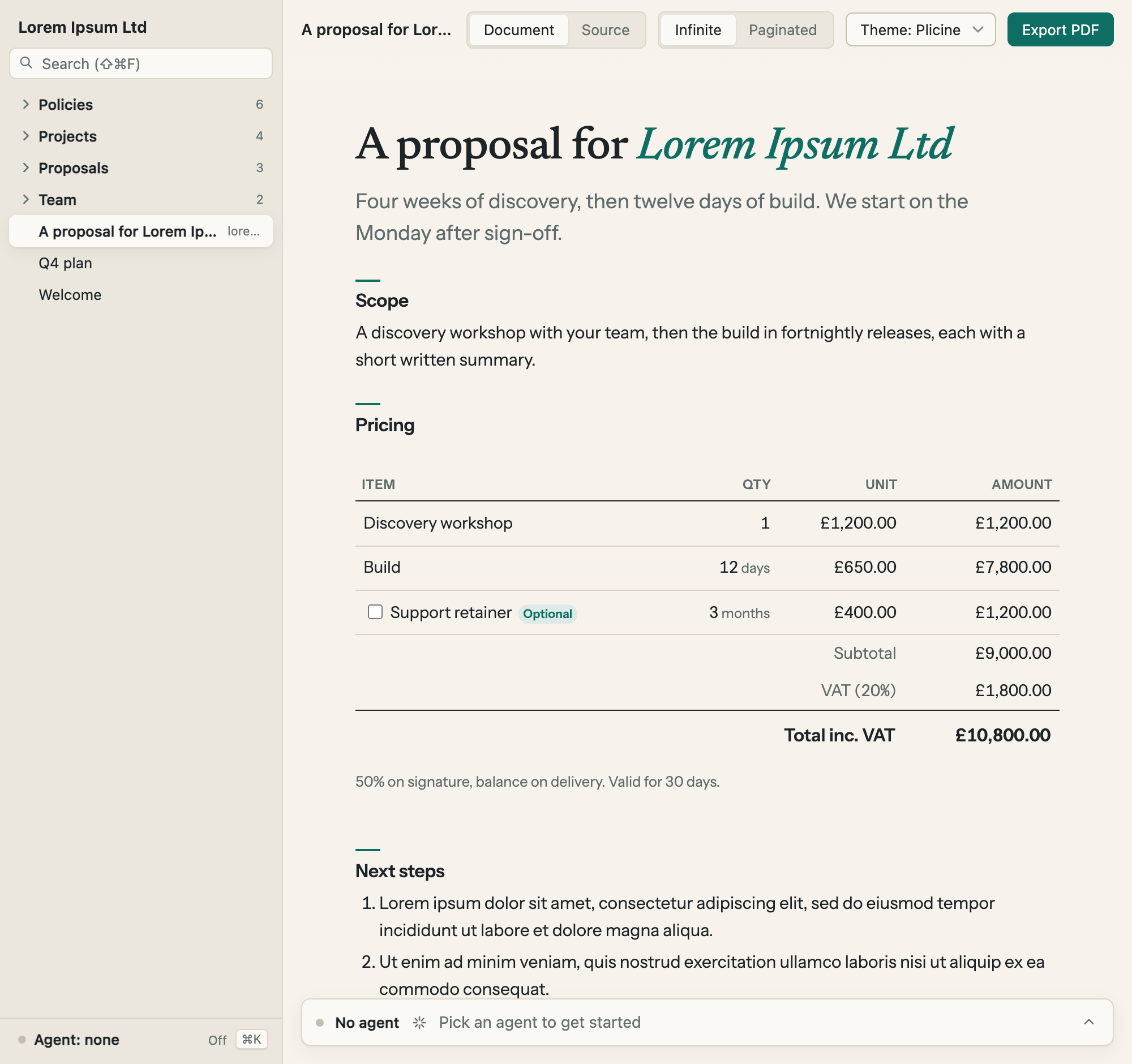
Read
Everything you’ve written, in one app.
Write
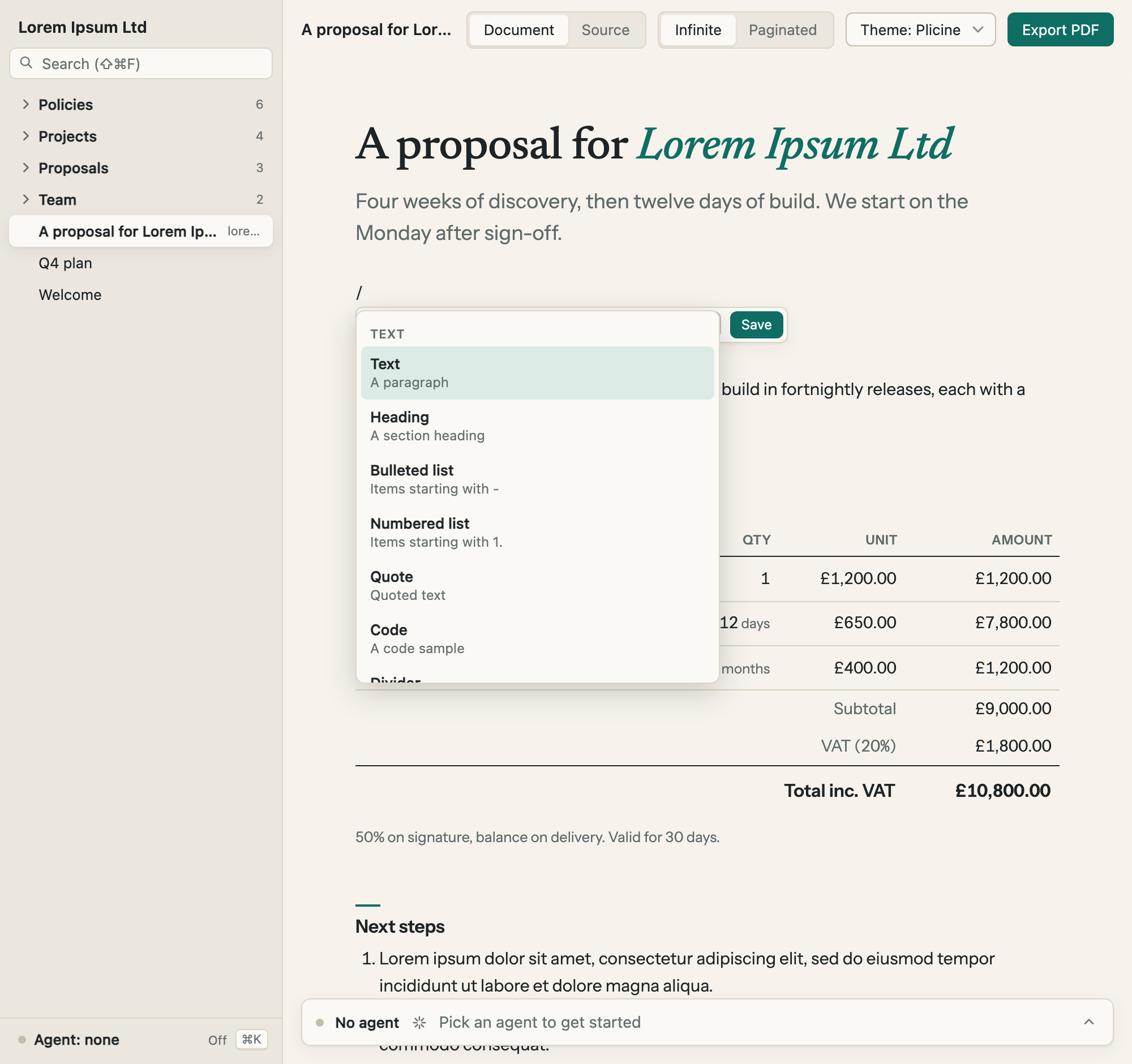
In an editor as simple as a doc.
Send
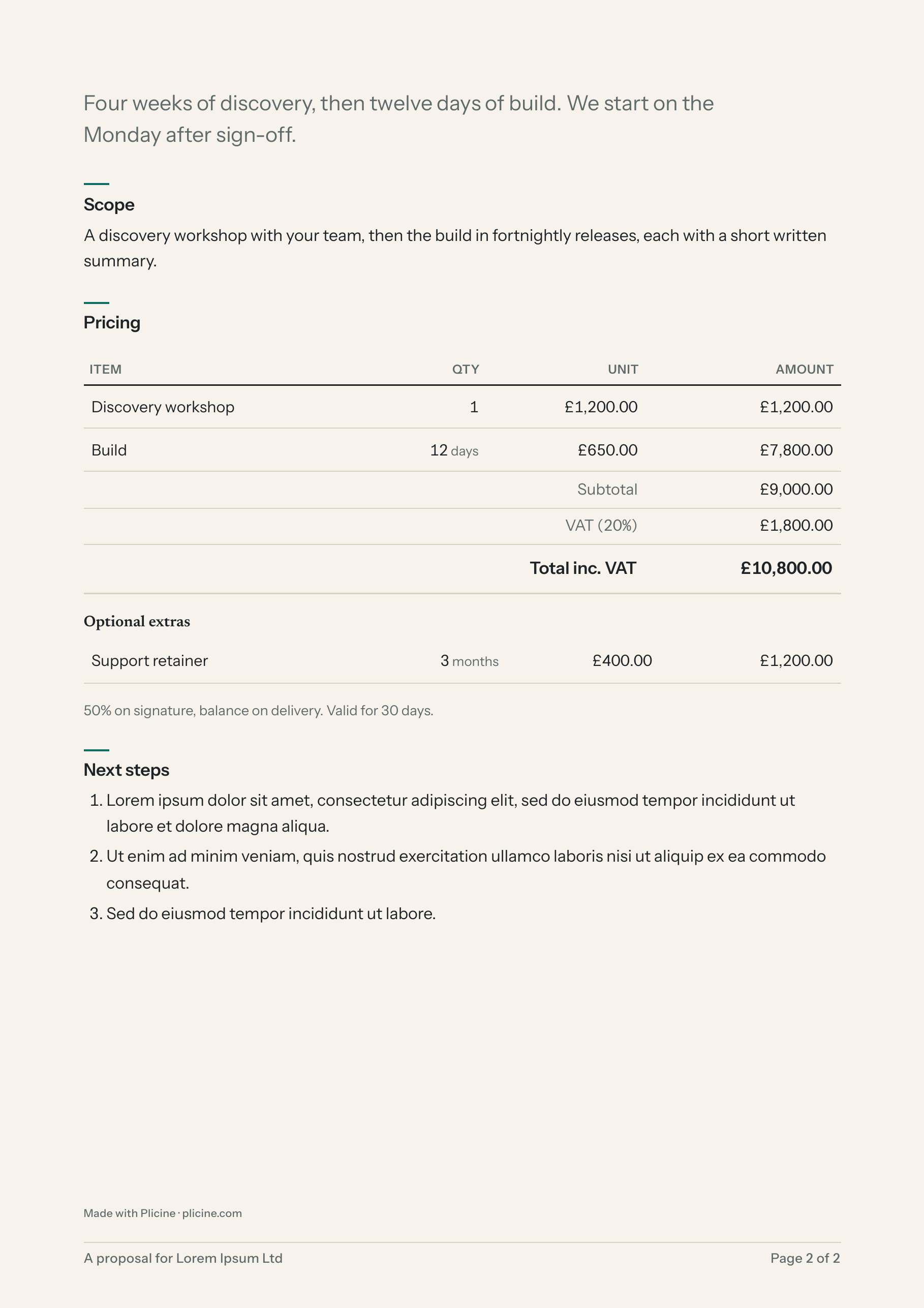
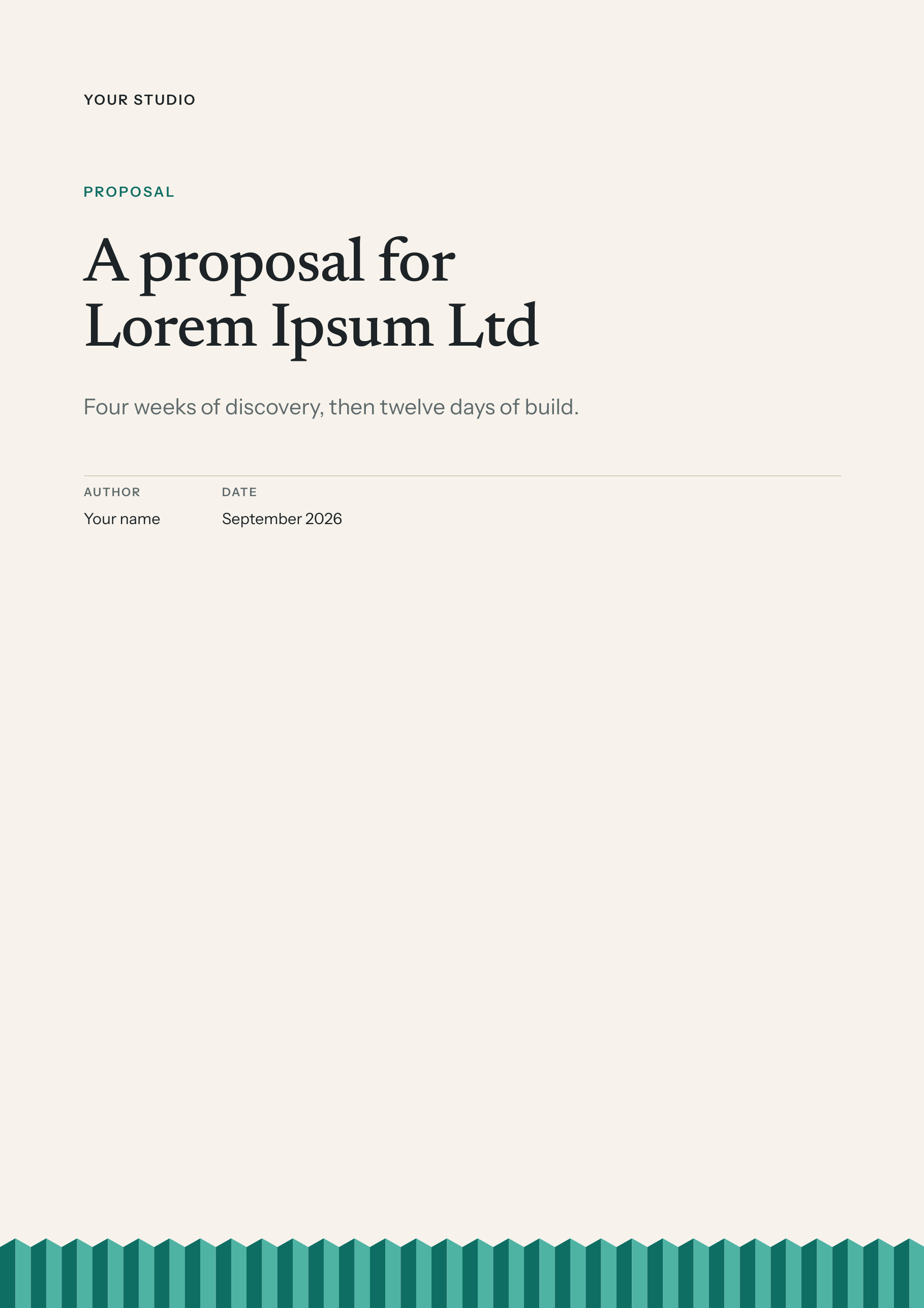
As a designed PDF, with a cover, footers and page numbers.
Keep
As ordinary files in your own Drive.
Plain text files (markdown). Plicine never writes anything else into the folder.
What it does
Written once, read three ways.
Every document is an ordinary file on one side and a finished page on the other. Your team sees the page, your AI tools see the text, and the file never leaves your Drive.
You and your team write and read it in the app
Open the folder in Plicine and every document is a page. Read it, edit a paragraph in place, change a table through a form. Nobody has to see the text file underneath.
Whoever you send it to gets a PDF
Export gives any document a cover, running footers, page numbers and a contents page, in a theme that is one file in the folder. A proposal, a report or a policy comes out looking designed.
Your AI tools can read it too
Every document is plain text (markdown), so you or your AI assistant can read it as it is. Point the assistant at the folder and it knows what you know, with nothing to export and nothing to connect.
Pages
Make the page you wish you had.
A document can be more than paragraphs. Drop in a dashboard of this week’s numbers, a project plan with a timeline, a priced quote or a checklist, each one a building block you add and edit without technical help. If the block you need doesn’t exist yet, you or your AI assistant can make one: the diagram block that ships with Plicine was made that way, in one go.
Week 38 · Updated this morning
Monday
The numbers, the plan and the one thing to decide. Every tile is a block, and every number is in the file.
| Step | This week | Owner |
|---|---|---|
| 01 | Ship the beta build Signed, with the install note |
Ops |
| 02 | Board pack Export Thursday morning |
Finance |
| 03 | Renew the insurance Quote in Policies |
Ops |
Blocks
The parts that do the work are called blocks.
A priced quote, a delivery plan, a chart: each is a block, a small add-on that lives in the same folder as your documents. The block does the arithmetic, so a total is always the sum of its rows and nobody has to check it in a spreadsheet.
Click Edit and a simple form appears. Change a quantity, save, and the document updates. Under the hood the settings are a few lines of plain text (YAML), but nobody on the team has to see them.
| Item | Qty | Unit | Amount |
|---|---|---|---|
| Discovery workshop | 1 | £1,200.00 | £1,200.00 |
| Build | 12 days | £650.00 | £7,800.00 |
| Support retainerOptional | 3 months | £400.00 | £1,200.00 |
| Subtotal | £9,000.00 | ||
| VAT (20%) | £1,800.00 | ||
| Total inc. VAT | £10,800.00 | ||
50% on signature, balance on delivery. Valid for 30 days.
Change the 12 and the total changes. The optional row is ticked on screen and listed under extras in print.
[A sentence from a beta tester, once the five-person test has run. Testers agree to be quoted without a name.]
[Role], [kind of company]
This document wants to run 2 blocks
Blocks are small programs that came with this folder. They run in a sandbox with no access to your files, and only get the network or saved data if listed below. Run the ones you expect to see.
-
@solunify/quote-table 2.1.0From the vault blocks · No network or storage accessPriced line items with quantities, optional extras, discount, VAT and totals.Don’t run Run
-
@solunify/gantt 1.0.0From the vault blocks · No network or storage accessA delivery plan drawn as a Gantt chart.Don’t run Run
- Run all 2
Trust
A block in a shared folder is a macro in an emailed spreadsheet.
So it doesn’t run until you say so, on your own computer. Every block runs in a sealed box (a sandbox) with no access to your files, and gets the internet or saved data only if it asks and you allow it.
You approve each version once and the app remembers. A colleague’s approval never runs code on your computer.
For developers
Sandboxed React in markdown, and a block you or your agent can write.
A block is a zod schema, an Interactive render and a Print render, packed into one file that ships inside the folder. The host never runs block code. Obsidian’s ownership, Notion’s polish, and a print button that works.
One schema, two renders
export const schema = z.object({
  rows: z.array(row).default([]),
  vat: z.number().min(0).max(1).default(0),
  terms: z.string().optional(),
});

export function Interactive(props: Props) { … }
export function Print(props: Props) { … }
The form in the app is generated from the schema. Print gets its own render, so a table can paginate and an optional row can move to an extras list.
You or your agent write one before the kettle boils
$ plicine create-block kpi-tiles --scope @acme
$ plicine validate blocks/kpi-tiles --json
{ "ok": false, "problems": [ { "line": 18, … } ] }
$ plicine validate blocks/kpi-tiles --json
{ "ok": true, "summary": "Checked @acme/kpi-tiles@0.1.0" }
$ plicine pack blocks/kpi-tiles --into ~/proposals
validate answers in JSON, so you or your agent fix what it names and run again. The isometric diagram block in the reference set was written by Claude Code in one pass.
Deterministic export
Fixed timestamps, no random ids, and fonts shipped with the theme: export the same document twice on the same machine and the bytes match. Run it in CI with the frozen flag, and a document that resolves to a different block than the lock file fails the build.
Nothing phones home
Local-first. No account, no telemetry, no server unless you run one. Each block runs in an opaque-origin iframe with its own content security policy, and the app never writes anything generated into your vault.
The block and theme formats are documented in full, and a block you write is a file in your own folder, so what you build on them is yours.
Closed beta
Try it on your own documents.
We’re looking for ten to twenty people: half people who’d keep their documents in it, half developers. The beta runs four to six weeks with a release every fortnight, on macOS or Windows, in your own Drive, Dropbox, OneDrive or iCloud folder.
The app sends nothing back to us (no telemetry), so we’ll ask you one question a week by email: did you export a PDF this week, and for what?
The button opens a Google Form that asks for your email address and a few short answers. We use them to choose testers and run the beta, and delete them three months after it closes. The privacy notice has the rest.
The small print
Commercial licences
Plicine is free to use at work as well as at home, and there is no seat count to keep track of. If your finance team needs an invoice, a signed licence naming your company, or terms to file before the software goes on a laptop, write to hello@plicine.com and we’ll draw one up. Nothing about the app changes; it’s the paperwork some companies need before they can say yes.
What you make is yours
The block and theme formats are written up in full. A block or a theme you make is a file in your own folder rather than something we host, so it keeps working whatever happens to us.